Chrome Quietly Running a 4GB LLM Locally? What Developers Need to Know
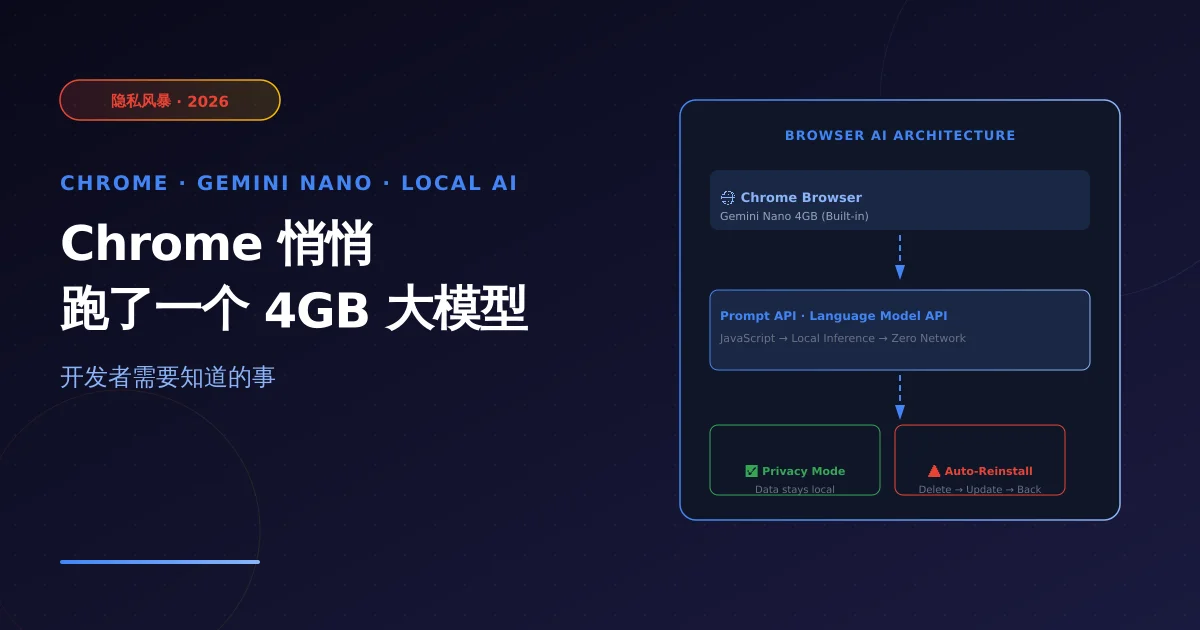
Google Chrome has been silently installing a 4GB Gemini Nano model on user devices, auto-reinstalling after deletion. This incident reveals a major trend: AI is migrating from cloud to edge. This article breaks down the technical implications for developers, browser extension ecosystem impact, and where edge AI API opportunities lie.
Note: Facts sourced from The Verge, PCMag, Windows Central reporting, May 2026. Technical analysis based on public Chrome/Gemini documentation. No undisclosed information.
1. What Happened
The Incident
In May 2026, multiple tech outlets reported a controversial discovery:
Google Chrome installed approximately 4GB of the Gemini Nano model on user devices without clear user consent.
The model was bundled with Chrome updates and:
- Even after manual deletion, Chrome auto-reinstalled it with the next update
- No straightforward way to fully opt out (until February 2026 when Google added a toggle)
Google’s Response
Google confirmed:
- Gemini Nano is Chrome’s on-device AI capability
- Powers in-browser AI features: smart compose, autofill, AI chat
- As of February 2026, users can disable/delete via settings
- Available at
chrome://settings/?search=AI
Core Controversy
| Issue | Reality |
|---|---|
| ”Silent install” | 4GB model shipped via Chrome update bundle; early versions had no clear notice |
| Auto-reinstall | Model restored with each Chrome update; poor user experience |
| Privacy risk | Whether locally processed data stays offline wasn’t clearly communicated |
| Informed consent | Installation lacked a proper user consent flow |
2. Technical Deep-Dive: What Is Gemini Nano
Chrome’s On-Device AI Architecture
Gemini Nano is Google’s lightweight model variant optimized for on-device scenarios:
- Low-latency inference: No network round-trip, millisecond response
- Offline capable: Works in airplane mode
- Privacy-preserving: Sensitive data processed locally, never uploaded
Chrome exposes AI capabilities to webpages and extensions via the Prompt API and Language Model API:
// Chrome Prompt API example (experimental)
// Check if on-device AI is available
const capabilities = await window.ai.canCreateTextSession({
  context: 'devTools',
  topK: 100,
  maxTokens: 2048,
});

if (capabilities.supported) {
  // Create a device-side AI session
  const session = await window.ai.createTextSession({
    systemPrompt: 'You are a code review assistant',
    context: 'devTools',
  });

  const result = await session.prompt('Review this code for performance issues:\n' + code);
  console.log(result);
}
Chrome AI API Status
As of May 2026, Chrome’s on-device AI capabilities remain experimental, requiring manual flag enabling:
chrome://flags/#prompt-api
chrome://flags/#on-device-model
| API | Status | Use Case |
|---|---|---|
Window.ai.canCreateTextSession() | Experimental | Check if local model is available |
Window.ai.createTextSession() | Experimental | Create text generation session |
PromptAPI | Experimental | Webpages call local model directly |
Language Model API | Planned | Full browser AI capability access |
3. Practical Developer Impact
1. Browsers Are Becoming AI Distribution Channels
The deeper meaning of the Chrome Gemini Nano incident: browsers are evolving from “web renderers” to “AI runtimes”.
Traditional browser:
Webpage → JavaScript engine → Web API → Network request → Cloud AI

With built-in local AI:
Webpage → JavaScript engine → Prompt API → Local Gemini Nano → No network needed
Developer implications:
- Reduced API dependency: Some AI scenarios no longer need cloud API calls
- Dramatically lower latency: Local inference < 50ms vs cloud API 500ms+
- Privacy advantage: Data never leaves device, GDPR compliance friendly
2. Edge AI Opportunities and Limitations
Scenarios suited for local AI:
- Text completion, grammar checking (light inference)
- Offline mode fallback (network unavailable)
- Privacy-sensitive data processing (medical records, legal documents)
- Real-time text analysis (no real-time connection needed on mobile)
Scenarios still requiring cloud API:
- Complex reasoning (Gemini Nano ~3B params, can’t handle sophisticated tasks)
- Multimodal capabilities (image/video generation still requires cloud)
- Very long context (local model limited by device memory)
- Real-time knowledge retrieval (local model knowledge has fixed cutoff date)
3. New Possibilities for Browser Extension Development
Chrome’s built-in local AI opens new possibilities for extension developers:
// Browser extension calling local AI (no API key needed)
chrome.runtime.onMessage.addListener((message, sender, sendResponse) => {
  if (message.type === 'CODE_REVIEW') {
    // Directly call local Gemini Nano, bypass cloud API
    window.ai.createTextSession({
      systemPrompt: 'You are a strict code reviewer, pointing out only critical bugs and security issues',
    }).then(session => {
      session.prompt(message.code).then(result => {
        sendResponse({ review: result });
      });
    });
    return true; // Async response
  }
});
For NixAPI developers, this means:
- Fallback strategy: Cloud API unavailable → use browser local AI as fallback
- Hybrid architecture: Simple tasks go local AI, complex tasks go NixAPI cloud routing
4. SEO & Traffic Impact
Privacy Controversy Driving Search Interest
The Chrome Gemini Nano incident sparked massive user discussion. Key search terms:
| Keyword | Search Intent | Content Opportunity |
|---|---|---|
Chrome Gemini Nano | Factual understanding | Event breakdown + technical explainer |
Chrome on-device AI | Developer technical understanding | Architecture analysis |
Gemini Nano disable | User wants to remove | How-to guide + privacy settings |
Browser AI privacy | Privacy concerns | Compliance analysis + alternatives |
Edge AI API | Technical evaluation | API integration guide |
Event-related content has a 1-2 week traffic explosion window — publish quickly to capture keyword rankings.
5. NixAPI Positioning Opportunity
Chrome built-in local AI has limited direct impact on NixAPI, but the trend is worth monitoring:
Local + Cloud Hybrid Routing Architecture
// NixAPI hybrid routing strategy
import { NixAPI } from '@nixapi/client';

// Local model first (low cost, low latency)
// Cloud model fallback (high reliability, large parameters)
async function routeRequest(task: Task) {
  if (await canUseLocalAI(task)) {
    // Simple tasks: use browser local AI (Gemini Nano)
    return { type: 'local', model: 'gemini-nano', cost: 0 };
  } else {
    // Complex tasks: NixAPI routes to optimal cloud model
    return await nixapi.chat({ messages: task.messages, model: 'auto' });
  }
}

// Decide if task suits local processing
function canUseLocalAI(task: Task): boolean {
  return (
    task.complexity === 'low' &&          // Simple inference
    !task.requiresMultimodal &&            // No multimodal needed
    task.contextLength < 4096              // Short context
  );
}
New Edge AI API Scenarios
As more devices gain on-device AI capabilities, NixAPI can expand into:
| Scenario | Description |
|---|---|
| Cross-device context sync | Local model processes current device data; NixAPI syncs cross-device memory |
| Model distillation distribution | NixAPI as cloud large model → edge small model distillation channel |
| Heterogeneous device scheduling | Unified task scheduling across phone/PC/IoT local models |
6. Developer Action Items
How to Confirm Chrome Has Gemini Nano Installed
# Method 1: Check Chrome settings
# Open chrome://settings/?search=AI
# Look for "On-device AI" option

# Method 2: Check disk usage
# macOS
ls -la ~/Library/Application\ Support/Google/Chrome/ModelHub/

# Windows
dir "%LOCALAPPDATA%\Google\Chrome\ModelHub"

# Linux
ls ~/.config/google-chrome/ModelHub/
How to Disable Chrome On-Device AI
1. Open chrome://settings/
2. Search "AI" or "On-device AI"
3. Toggle off "Allow Chrome to use on-device AI"
4. Restart Chrome
How to Test Prompt API
// Run in Chrome DevTools (requires experimental flags enabled)
(async () => {
  const { available } = await window.ai.canCreateTextSession();
  if (available !== 'no') {
    const session = await window.ai.createTextSession();
    const result = await session.prompt('Explain edge computing in one sentence');
    console.log('Result:', result);
  } else {
    console.log('On-device AI not available');
  }
})();
7. Key Takeaways
| Dimension | Conclusion |
|---|---|
| Event essence | Chrome moving AI from cloud to local device — controversy is surface, trend is substance |
| For developers | Browsers are becoming “AI runtimes”; local AI becomes an important fallback/downgrade strategy |
| Limitations | Local models constrained by parameter count; complex tasks still need cloud API |
| SEO value | Event keywords have 1-2 week explosion window; publish quickly for rankings |
| NixAPI opportunity | Local + cloud hybrid routing architecture is the evolution direction for next-gen API aggregation |
Chrome installing Gemini Nano isn’t “sneaking” — it’s the first step in AI distribution moving from cloud to edge. Developers need to understand this trend and proactively think about positioning in a world where local AI + cloud API hybrid architectures become the norm.
Try NixAPI Now
Reliable LLM API relay for OpenAI, Claude, Gemini, DeepSeek, Qwen, and Grok with ¥1 = $1 top-up
Sign Up Free