Google Managed Agents API Deep Dive: Full-Stack AI Agent in a Single API Call
At Google I/O 2026, the Managed Agents API lets developers deploy a complete AI agent — with an isolated Linux sandbox, tool loop, and state management — in a single API call. This article provides a deep technical analysis, compares it with Anthropic's Claude Managed Agents, and explores what it means for application builders.
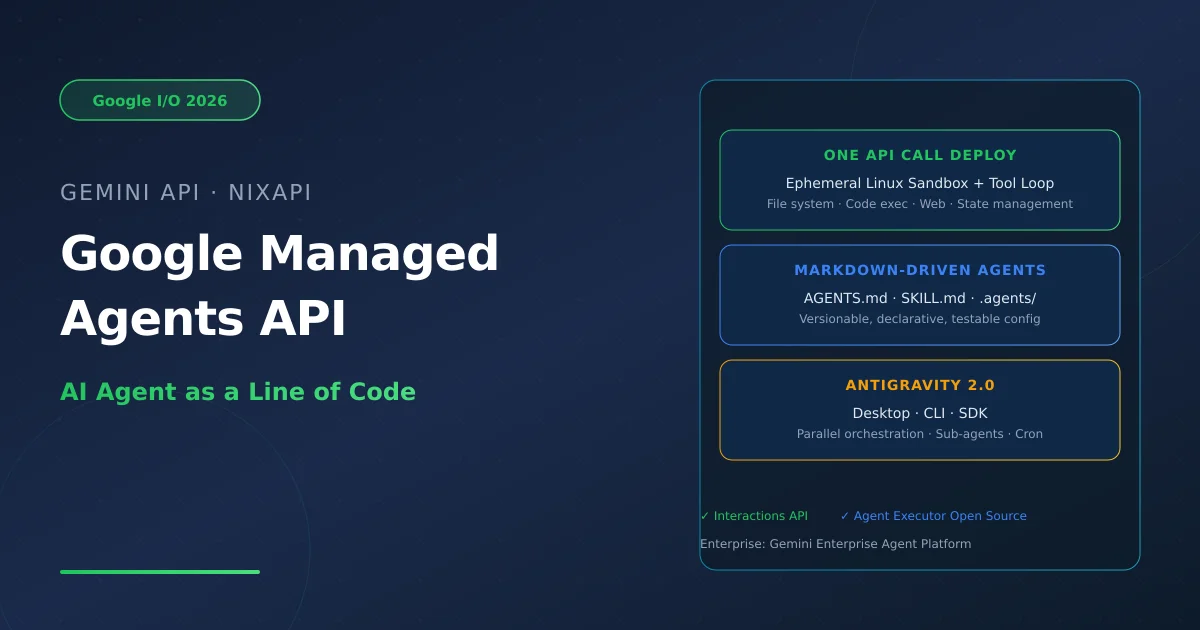
Google Managed Agents API Deep Dive: Full-Stack AI Agent in a Single API Call
At the crossroads where AI agents move from experiments to production products, Google dropped a bombshell at I/O 2026. No more assembling Docker sandboxes, tool registries, retry logic, and state management yourself. A single API call, and a complete AI agent is born.
Introduction
Three days after the Google I/O 2026 keynote on May 19, the headline was not a new model — it was a billing line. Managed Agents in the Gemini API charges per run, not per token.
The implications are profound. Before this, building a tool-using agent meant assembling all the plumbing yourself: a reasoning loop, a tool router, a secure code execution sandbox, file storage, retry logic, and state management across turns. Managed Agents collapses that entire scaffolding layer into a hosted service. You describe behavior in markdown, register it, and Google handles the execution environment.
This article provides a deep dive from four angles: technical architecture, developer experience, cost model, and ecosystem strategy.
1. Technical Architecture: From API Call to Linux Sandbox
1.1 The Core Model
At its heart, Managed Agents is a hosted, ephemeral agent runtime. When you call Google’s Interactions API, the following happens:
- API Call → You send a request with agent definition and task description
- Environment Creation → Google provisions an isolated Linux sandbox on the server side
- Agent Execution → The agent reasons, plans, calls tools, executes code, manages files, and browses the web inside the sandbox
- Result Return → The result and an
environment_idare returned for session continuity - Environment Teardown → Resources are automatically reclaimed
from google import genai
client = genai.Client(api_key="YOUR_API_KEY")

# Create and run an agent
response = client.interactions.create(
    model="gemini-3.5-flash",
    agent="antigravity",
    messages=[{"role": "user", "content": "Analyze this codebase structure."}],
)
Key feature: State persistence. The returned environment_id lets you resume previous sessions. All files and state remain intact — critical for long-running tasks.
1.2 Markdown-Driven Agent Definition
Google introduced a declarative agent definition approach: Markdown files as agent configuration.
.agents/
├── AGENTS.md    # Agent behavior instructions
├── SKILL.md     # Tool definitions and capabilities
└── agents.yaml  # Registration configuration
No Dockerfiles. No infrastructure boilerplate. No orchestration code. This is versionable, declarative, and testable.
1.3 Default Tool Set
Managed Agents ship with these built-in tools:
| Tool | Capability |
|---|---|
| Code Execution | Run Python, Shell in isolated sandbox |
| File System Ops | Read, write, edit files |
| Google Search | Real-time web search |
| URL Fetching | Retrieve and parse web content |
| Agent Skills | Pluggable custom capability modules |
2. Antigravity 2.0: Desktop-Grade Multi-Agent Orchestration
Managed Agents are part of the larger Antigravity 2.0 platform. From version 1.0’s single-agent desktop shell, it evolved into:
- Desktop App — Visual multi-agent orchestration
- CLI (rewritten in Go) — Lightweight terminal interface for CI/CD
- SDK — Embeddable agent orchestration engine
- Managed Agents API — The runtime layer
Parallel orchestration: Antigravity 2.0 supports running multiple agents simultaneously. Agents can spawn sub-agents dynamically, each with its own context and tool set.
Google explicitly recommended Gemini CLI users migrate to Antigravity CLI — signaling that the Gemini CLI was a stepping stone, and Antigravity CLI is the long-term product.
3. The Complete Stack
Looking at Google’s I/O 2026 announcements as a whole, the agent stack looks like this:
| Layer | Product | What It Gives You |
|---|---|---|
| Model | Gemini 3.5 Flash | Frontier intelligence at 4x speed |
| Agent Harness | Antigravity | Multi-agent orchestration, scheduling, CLI |
| Agent Deployment | Managed Agents | Single-API-call agents + isolated environments |
| Agent Definition | Markdown (AGENTS.md) | Declarative, versionable configuration |
| Development | Google AI Studio + Mobile | Prompt-to-prototype, export to anywhere |
4. Comparison with Claude Managed Agents
Anthropic reached this territory first. Claude Managed Agents shipped in April 2026 at roughly $0.08/hour.
| Dimension | Google Managed Agents | Claude Managed Agents |
|---|---|---|
| Pricing Model | Per-run | Per-hour (~$0.08/hr) |
| Runtime | Managed Linux sandbox | Managed environment |
| Agent Definition | AGENTS.md + SKILL.md | Config files |
| Tool Loop | Built-in (code, search, files, web) | Built-in |
| Public Pricing | Not yet announced | Published |
| Orchestration | Antigravity 2.0 (parallel + sub-agents) | Basic orchestration |
| Open Source | Agent Executor (OSS) | No |
| Developer Preview | Public + Private (Enterprise) | GA |
Key Differences:
- Pricing Transparency: Google’s lack of published pricing is the single biggest blocker for production commitments. Anthropic’s per-hour pricing makes cost modeling straightforward.
- Vendor Lock-in: Google’s fully-hosted model trades operational simplicity for deeper lock-in. Anthropic’s model-layer orchestration is more flexible.
- Open Source: Google’s Agent Executor open-source release is a significant differentiator — reminiscent of the Kubernetes playbook: “give away the runtime, drive cloud consumption.”
5. What This Means for Developers
5.1 The Infrastructure Tax Shrinks
Managed Agents eliminate the need for every team to build sandboxing, state management, and tool routing from scratch. For solo developers and small teams:
- No self-built sandboxes: Secure execution environments are Google-maintained
- No state management: Session persistence is automatic
- No tool routing: The agent decides which tools to call
- Shorter path from idea to product
5.2 Two Cost Model Questions
- High-frequency short tasks: Per-run billing may be disadvantageous for short-lived, high-volume tasks. Model both per-token and per-run scenarios.
- Preview uncertainty: Public Preview has no production SLA; enterprise pricing is unannounced.
5.3 Architecture Recommendation
Prototyping: Managed Agents’ developer preview is excellent for validating agent product feasibility.
Production: Keep agent definitions portable — the AGENTS.md and SKILL.md layer should be liftable onto a different harness if cost or control requirements demand it.
6. Google’s Strategy: From Kubernetes to Agent Executor
The most notable strategic signal is the simultaneous launch of Agent Executor — an open-source agent runtime. As CIO.com’s analysis put it:
“Google’s Agent Executor strategy is reminiscent of the path Kubernetes walked: give away the runtime, drive consumption on Google Cloud via services.”
This suggests Google aims to profit not from agent tools themselves, but from cloud infrastructure consumption. For developers, this means Google has long-term incentive to invest in the platform.
7. Summary
Google Managed Agents API represents a significant milestone for agent infrastructure. Together with Claude Managed Agents, it marks the formal arrival of managed agent runtimes as a core cloud platform category.
For NixAPI’s audience — global-minded AI product developers — the impacts are direct:
- Lower barrier to agent products: No need to build full infrastructure from scratch
- More API choices: Reduced switching costs between Google, Anthropic, and OpenAI
- Fiercer competition: Managed agent price wars are coming
For now, test carefully and keep portability as the guiding principle. The real cost comparison can only be made once official pricing is published.
References:
- Google I/O 2026: Managed Agents in the Gemini API (blog.google)
- Introducing Antigravity 2.0 (google.dev)
- Google Managed Agents API Docs (cloud.google.com)
- The Stack Dispatch: I/O 2026 turned agents into an API line item
- niteagent: Managed Agents, Antigravity 2.0, and What Developers Need to Know
- Sean Kim: Gemini API Managed Agents Explained
Try NixAPI Now
Reliable LLM API relay for OpenAI, Claude, Gemini, DeepSeek, Qwen, and Grok with ¥1 = $1 top-up
Sign Up Free