MongoDB Unveils AI Agent Toolkit: Vector Search + Long-Term Memory + MCP Support
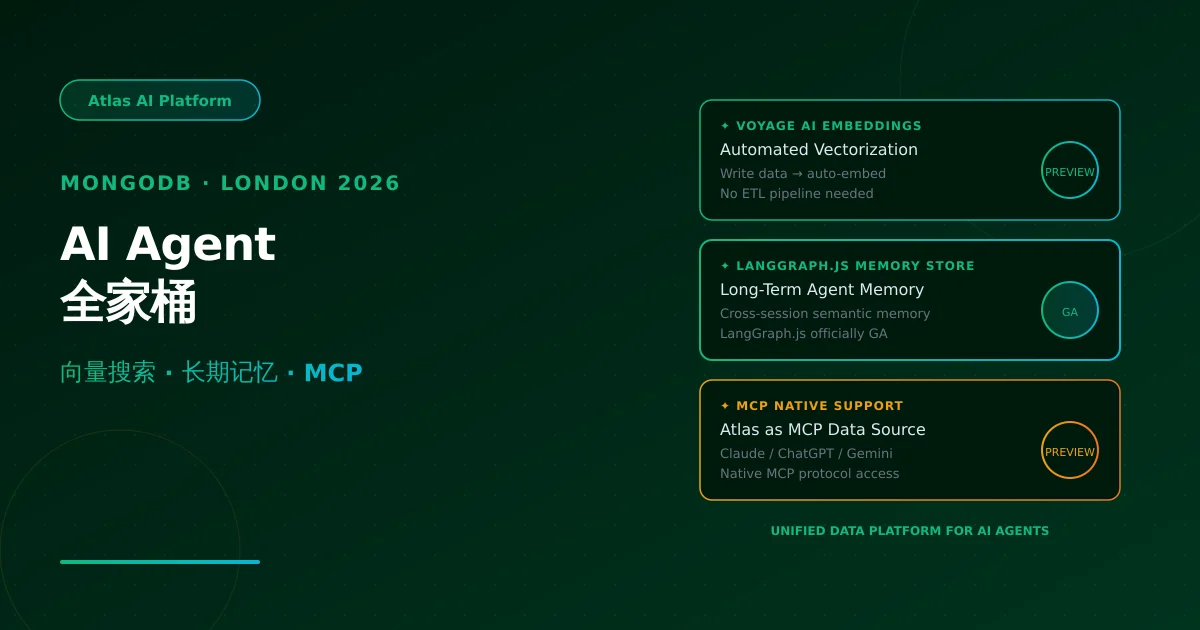
At MongoDB London 2026, three major Agent capabilities launched: Automated Voyage AI Embeddings (public preview), LangGraph.js Long-Term Memory Store (GA), and native MCP (Model Context Protocol) support. Atlas is becoming the unified data platform for the AI Agent era. Deep dive into the technical internals and developer integration guide.
Note: Facts sourced from MongoDB official documentation (mongodb.com/docs), MongoDB London 2026 announcements, and Financial Times reporting. No undisclosed information.
1. Conference Highlights
MongoDB London 2026 announced three major AI Agent-related updates:
| Update | Status | Core Value |
|---|---|---|
| Voyage AI Automated Embeddings | 🟡 Public Preview | Data is automatically vectorized on write — no manual embedding pipeline |
| LangGraph.js Long-Term Memory Store | 🟢 Generally Available | JS/TS developers finally have a production-ready Agent memory solution |
| MCP (Model Context Protocol) Native Support | 🟡 Public Preview | Atlas data directly accessible via Claude/ChatGPT/Gemini through standard protocol |
All three target the same goal: making MongoDB Atlas the “memory + data + tools” unified backend for AI Agents.
2. Automated Voyage AI Embeddings: Write Data, Get Vectors
The Pain of Traditional Embedding Pipelines
Currently, developers building vector retrieval systems maintain a manual pipeline:
Data → ETL script → Call embedding API → Store in vector DB → Sync management
                              ↑
                        Expensive and slow
Problems:
- Embedding cost: Every data change triggers a separate embedding API call (OpenAI/Cohere/etc.)
- Sync delay: Data only searchable after ETL script runs — stale by days
- Maintenance complexity: Embedding model version, data format, vector dimensions all self-managed
How Voyage AI Embedding Works
Voyage AI embeddings are built into Atlas — deeply integrated with data writes:
// When writing data, Atlas automatically triggers embedding generation
// The entire process is transparent to the developer

// 1. Enable Atlas Vector Search + Voyage AI embedding
const collection = db.collection('product_reviews');

// 2. Write data with vector field — Atlas + Voyage AI auto-populate
await collection.insertOne({
  product_id: 'widget_123',
  review_text: 'Great product, fast shipping!',
  rating: 5,
  // vectorField auto-populated by Atlas + Voyage AI
  // No manual embedding API call needed
  vectorField: {
    $vectorize: {
      textField: 'review_text',
      model: 'voyage-3',  // Voyage AI embedding model
      dimensions: 1024,
    }
  }
});

// 3. Query directly with vector search — no extra processing
const results = await collection.aggregate([
  {
    $vectorSearch: {
      index: 'reviews_vector_index',
      path: 'vectorField',
      queryVector: await embedQuery('How is the product quality?'),
      numCandidates: 100,
      limit: 5,
    }
  },
  { $project: { review_text: 1, rating: 1, _score: { $meta: 'vectorSearchScore' } } }
]);
Core advantages:
| Dimension | Traditional Approach | Voyage AI Embedded |
|---|---|---|
| Embedding cost | Separate API call per change | Built-in service, charged by storage |
| Data sync | ETL script delay | Write-to-embed, real-time |
| Model management | Manual version tracking | Atlas unified management |
| Dev experience | 3 systems to coordinate | 1 database does it all |
Ideal Use Cases
- RAG (Retrieval-Augmented Generation): Document/review/knowledge base vector search
- Semantic search: Product search, recommendation systems
- Multi-modal data management: Text + vector unified storage
3. LangGraph.js Long-Term Memory Store: GA
Why Agents Need Long-Term Memory
Before LangGraph.js had an official long-term memory solution, developers could only:
- Use external vector databases (Pinecone/Chroma) for memory
- Implement simple key-value storage themselves
- Stuff full conversation history into context window (expensive and slow)
Problem: Cross-session knowledge accumulation, persona consistency, context continuity — the core capabilities that make Agents “smarter” — were nearly impossible to implement.
Atlas Memory Store Architecture
MongoDB partnered with LangGraph.js to deliver Atlas Memory Store — a production-ready long-term memory solution out of the box:
import { MongoDBAtlasMemoryStore } from '@langchain/community/memory';
import { ChatAnthropic } from '@langchain/core/language_models';
import { createReactAgent } from '@langchain/langgraph';
import { pullAtlanKit } from '@langchain/community/tools/atlan';

const memory = new MongoDBAtlasMemoryStore({
  mongoUrl: process.env.MONGODB_ATLAS_URI,
  sessionId: 'user_12345',       // Tied to specific user/session
  memoryCollection: 'agent_memories',
  vectorCollection: 'agent_vectors',
  indexName: 'agent_vector_index',
});

// Create agent with memory
const agent = createReactAgent({
  llm: new ChatAnthropic({ model: 'claude-3-5-sonnet' }),
  tools: [pullAtlanKit],
  memory,
});

// First conversation
await agent.invoke({
  input: 'My name is Li Ming, I prefer writing backend services in Python',
  memory: { user_preferences: { name: 'Li Ming', preferred_lang: 'Python' } }
});

// Second conversation (cross-session, memory auto-loaded)
const response = await agent.invoke({
  input: "What's my name and what language do I prefer?"
});
// Response: "Your name is Li Ming and you prefer writing backend services in Python."
Memory Store data structure:
Atlas Memory Store
├── Semantic Memory
│   └── Vector index → Stores long-term facts, preferences, patterns
├── Working Memory
│   └── Document store → Current session's temporary context
└── Episodic Memory
    └── Time-series documents → Records Agent's "experiences"
vs. Traditional Approaches
| Feature | External Vector DB (Pinecone etc.) | Atlas Memory Store |
|---|---|---|
| Integration difficulty | High (maintain separate service) | Low (one Atlas handles everything) |
| Data consistency | Medium (sync issues) | High (DB transactions) |
| Query capability | Vector-only | Vector + structured hybrid |
| Cost | Per-vector pricing | Atlas storage pricing, no premium |
| LangGraph official support | Community integration | Official GA |
4. MCP Native Support: Atlas as Agent’s “External Brain”
Atlas’s Role in MCP Architecture
MCP has three roles: MCP Host (AI application), MCP Client (protocol client), MCP Server (tool adapter). Atlas serves as the data source in this architecture:
┌─────────────────────┐
│   Claude / ChatGPT   │  ← MCP Host
│       / Gemini       │
└──────────┬──────────┘
           │ MCP Client
           ↓
┌─────────────────────┐
│     Atlas MCP Server │  ← Atlas native support
│  (via MongoDB driver) │
└──────────┬──────────┘
           │ Structured + Vector hybrid queries
           ↓
┌─────────────────────┐
│   MongoDB Atlas      │
│ (Memory + Data + Tools) │
└─────────────────────┘
Atlas MCP Server Integration
// Configure Atlas MCP Server in Claude Desktop
// ~/.claude/config.json

{
  "mcpServers": {
    "mongodb-atlas": {
      "command": "npx",
      "args": ["-y", "@mongodb/mcp-server-atlas"],
      "env": {
        "MONGODB_ATLAS_URI": "mongodb+srv://user:[email protected]",
        "MONGODB_DATABASE": "myapp"
      }
    }
  }
}

// Then in Claude, just say:
// "Show me user registration trends from the last 30 days in myapp database"
// Claude auto-calls Atlas via MCP, returns data + analytical insights
Atlas MCP Capability Matrix
| MCP Tool | Atlas Implementation | Function |
|---|---|---|
atlas_query | MongoDB Aggregation | Structured data queries |
atlas_vector_search | $vectorSearch | Semantic vector retrieval |
atlas_memory_read | Memory Store | Read Agent long-term memory |
atlas_memory_write | Memory Store | Write Agent-learned information |
5. Developer Integration Path
Quick Start Steps
# 1. Install LangChain.js + Atlas integration packages
npm install @langchain/community @langchain/langgraph

# 2. Set environment variables
export MONGODB_ATLAS_URI="mongodb+srv://user:[email protected]"

# 3. Initialize Memory Store (5 lines)
import { MongoDBAtlasMemoryStore } from '@langchain/community/memory';
const memory = new MongoDBAtlasMemoryStore({ mongoUrl: process.env.MONGODB_ATLAS_URI });

# 4. Create Agent with memory
const agent = createReactAgent({ llm, tools, memory });
NixAPI Integration Value
For NixAPI multi-model API aggregation platform, MongoDB Agent toolkit means:
// NixAPI × Atlas: Optimal backend for Agent data layer
import { NixAPI } from '@nixapi/client';
import { MongoDBAtlasMemoryStore } from '@langchain/community/memory';

// User request → NixAPI routes to optimal model
// → Model calls Atlas Memory Store for memory/data
// → Unified structured response

const memory = new MongoDBAtlasMemoryStore({
  mongoUrl: process.env.MONGODB_ATLAS_URI,
  sessionId: request.sessionId,
});

// Atlas Memory Store provides NixAPI users with:
// - Cross-session memory (user gets smarter over time)
// - Vector retrieval (RAG scenarios)
// - Structured data queries (business data)
6. Key Takeaways
| Capability | Status | Best For | Rating |
|---|---|---|---|
| Voyage AI Automated Embeddings | 🟡 Public Preview | RAG, knowledge bases, semantic search | ⭐⭐⭐⭐ |
| LangGraph.js Memory Store | 🟢 Generally Available | Production Agents needing cross-session memory | ⭐⭐⭐⭐⭐ |
| Atlas MCP Server | 🟡 Public Preview | Claude/ChatGPT/Gemini accessing Atlas | ⭐⭐⭐⭐ |
Overall assessment: MongoDB Atlas is evolving from a “document database” to an “AI Agent data platform.” LangGraph.js Memory Store GA is the most significant announcement — it gives JS/TS developers a production-ready Agent memory solution without maintaining complex external vector services.
NixAPI should evaluate Atlas as the default backend for Agent memory layers — it has direct value for multi-model routing context management.
Try NixAPI Now
Reliable LLM API relay for OpenAI, Claude, Gemini, DeepSeek, Qwen, and Grok with ¥1 = $1 top-up
Sign Up Free