OpenAI Codex Goes Mobile: Steer AI Coding Agents From Your Phone
OpenAI brings Codex to the ChatGPT iOS/Android app in preview. Developers can now start, monitor, approve, and steer AI coding tasks remotely. Remote SSH, Enterprise Hooks, and HIPAA compliance ship simultaneously—a milestone for mobile AI agent workflows.
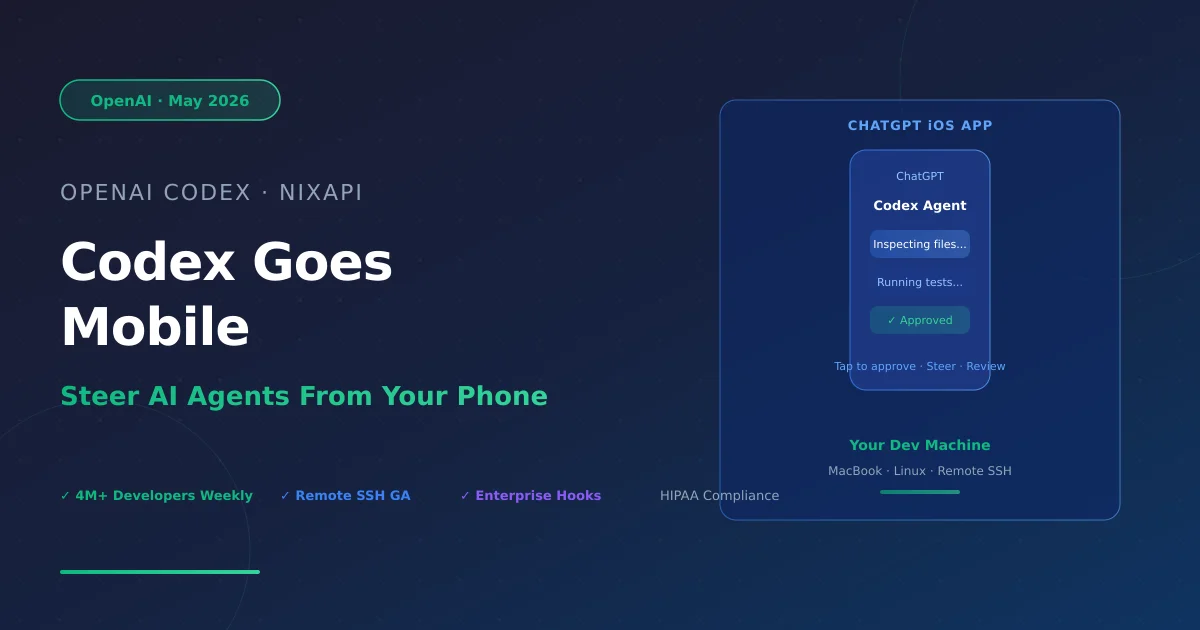
In May 2026, OpenAI quietly shipped one of the most practical updates in the AI coding space: Codex, the AI coding agent, is now accessible via the ChatGPT mobile app on iOS and Android — in preview, across all plans. More than four million developers use Codex weekly. Now they can steer it from their phone.
This isn’t a remote desktop trick. It’s a fundamental shift in how human oversight works in long-running AI agent tasks.
From Desktop to Pocket
The default mode for AI coding tools has always been synchronous: you sit at your machine, launch a task, and stay present while it runs. Codex changes that by making every human decision point reachable from anywhere.
Consider the new rhythm:
- During your coffee break: Codex finds two viable refactor paths and needs your direction. You review tradeoffs on your phone, pick a direction, and by the time you’re back at your desk the task has already moved forward.
- On your commute: You asked Codex to tackle a refactor before leaving the office. Mid-commute, it surfaces a decision point. You answer from your phone without breaking stride.
- Between meetings: A support issue is evolving across Slack, email, and documents. You ask Codex to synthesize the latest state and prepare a briefing — all from your phone before your next call.
The core value proposition: AI coding assistants are no longer tools that require you to be at a desk. They become async workers you can manage remotely.
Technical Architecture: The Secure Relay Layer
OpenAI didn’t expose developer machines directly to the public internet. Codex uses a secure relay layer — authenticated through the ChatGPT account — to keep trusted machines reachable across devices without exposing IP addresses, ports, or credentials.
What this means in practice:
- Codex can run on a Mac Mini, a dedicated Linux machine, or a managed remote environment (devbox)
- Session state — screenshots, terminal output, test results, approvals — syncs to your phone in real time
- Any authorized ChatGPT device (desktop + phone) can access the same relay connection
This architecture is quietly significant: it turns a local tool into a cross-device, session-based workflow manager.
Three Enterprise Features Shipping Simultaneously
Remote SSH — Now Generally Available: Codex can now connect directly to hosts defined in your SSH config, including managed remote environments. For enterprise teams, this means approved dependencies, credentials, and security policies — all managed by the environment — while the developer experience stays the same as local development.
Enterprise Hooks — Now Generally Available: Hooks are custom scripts that run before every Codex interaction. Use cases: scan for leaked secrets, run validators, log conversations, create memories, or enforce repository-specific behavior. Enterprises can embed compliance and security policy directly into every execution node without changing developer workflows.
HIPAA Compliance — Limited Availability: For eligible ChatGPT Enterprise workspaces in healthcare, Codex now supports HIPAA-compliant use in local environments (CLI, IDE, App). This opens AI-assisted coding to patient-facing operational workflows — a meaningful gate crossed for regulated industries.
The Broader Pattern: Mobile-First AI Agents
The AI coding tool ecosystem is evolving in three stages: capability expansion → deep context integration → cross-device continuity. Codex Mobile targets the third stage, and it does so at a moment when agentic workflows are becoming the dominant paradigm for AI-assisted development.
The architectural shift here is important: a local AI tool becoming a relay-connected, session-managed, cross-device workflow. This is exactly the pattern that protocols like MCP (Model Context Protocol) were built to standardize — not just the connection between agents and tools, but the lifecycle management of tasks across contexts and devices.
For NixAPI users, this is a concrete example of what cross-device AI agent interaction looks like in production. As this pattern matures, API aggregation layers will increasingly need to account not just for model inference, but for task state and lifecycle management across sessions and devices.
Summary
| Feature | Status | Plan |
|---|---|---|
| Codex Mobile (monitor / approve / steer) | Preview | All plans |
| Remote SSH | GA | All plans |
| Enterprise Hooks | GA | All plans |
| Programmatic Access Tokens | GA | Enterprise / Business |
| HIPAA-compliant local use | GA | Eligible Enterprise Workspaces |
OpenAI’s signal is clear: AI coding agents are leaving the desktop and entering the developer’s daily rhythm. As agentic workflows grow longer, the mobile checkpoint isn’t a nice-to-have — it’s a structural requirement.
The next thing to watch: whether cross-device agent lifecycle management spawns its own protocol standard, the way MCP standardized agent-to-tool connectivity.
Try NixAPI Now
Reliable LLM API relay for OpenAI, Claude, Gemini, DeepSeek, Qwen, and Grok with ¥1 = $1 top-up
Sign Up Free