OpenAI Images 2.6 API Guide: Flare, Sunburst, GIF/SVG, and Markup Edits
GPT-Image-2.6 Flare and Sunburst launched on the API on 2026-11-04. This guide walks through model selection, GIF/SVG output parameters, the difference between complexity and quality, markup-guided editing, the Batch API limitation, and a runnable integration example.
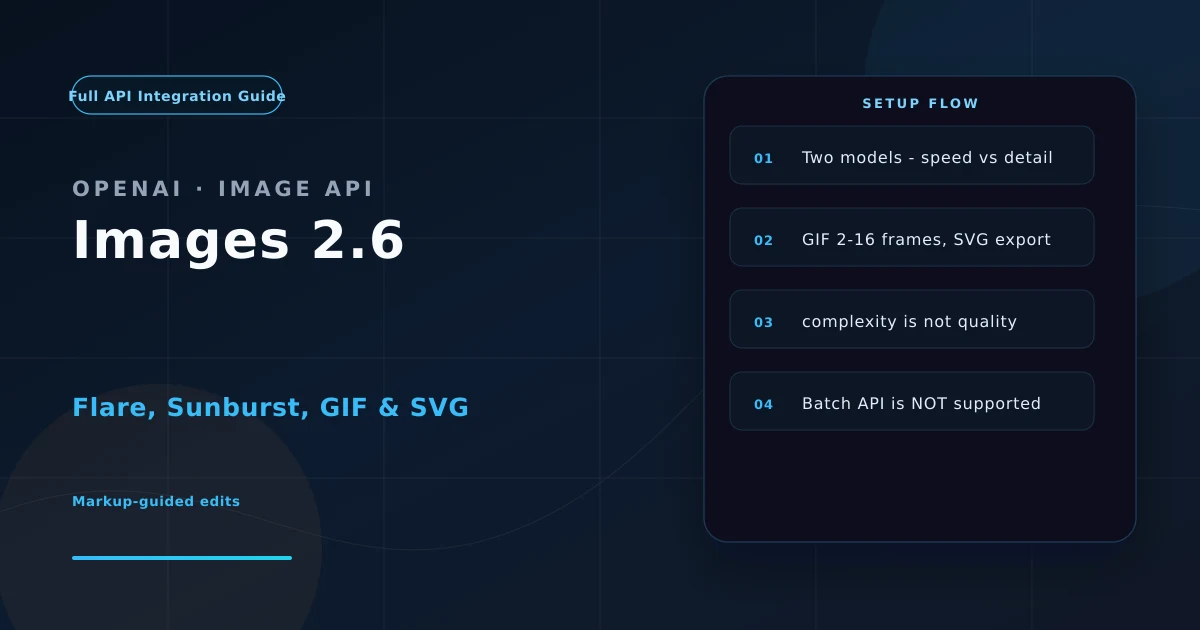
Introduction: This Update Is More Than “GIFs Now Exist”
On 2026-11-04, OpenAI released Images 2.6, with two models landing on the API simultaneously:
| Model ID | Positioning |
|---|---|
gpt-image-2.6-flare | Speed first — fast iteration, interactive generation and editing |
gpt-image-2.6-sunburst | Detail first — dense compositions, text-heavy layouts, cross-edit consistency |
OpenAI claims roughly 50% faster generation overall, with Flare returning a low-quality image in as little as 6 seconds. New capabilities include GIF output, SVG export, markup-guided edits, and a complexity parameter.
But for developers, the important part isn’t the feature list. It’s these three shifts:
- Control dimensions doubled —
qualitygoverns rendering fidelity,complexitygoverns planning effort; they’re independent; - Output shapes expanded from still images to animations and vector files — which changes material-production workflows;
- The Batch API is gone for 2.6 — 2.5 supports it, with image output at half price ($15 vs $30 per 1M).
Cost note: this article covers integration and parameters. 2.6’s low and medium tiers actually cost 3–4× more than 2.5 despite an identical rate card. The full breakdown is in the companion piece: OpenAI Images 2.6 Real Cost.
1. Flare vs Sunburst: How to Choose
Both models have identical pricing (same rate card), so selection comes down to latency and consistency.
| Dimension | gpt-image-2.6-flare | gpt-image-2.6-sunburst |
|---|---|---|
| Positioning | Speed | Detail |
| Latency | As little as 6 seconds at low quality | Slower; OpenAI publishes no figure |
| Layout quality | Improved layouts for posters, product imagery | Dense compositions, text-heavy layouts |
| Cross-edit consistency | Average | Stronger at medium/high (same character or product across 5 edits without drift) |
| Price | Same rate card | Same rate card |
Decision rule
- Exploration (need 10 layout variants, iterating with users) → Flare; iteration speed is the product experience;
- Delivery (same character, five successive edits, consistency required) → Sunburst; consistency is a hard requirement;
- Don’t route everything through Sunburst just because it’s “higher quality” — at the low tier it gives you no quality benefit, only a latency penalty.
Testing note: 2.6 Sunburst may be slower than 2.5 Sunburst at equivalent quality. OpenAI’s “50% faster” headline mostly applies to Flare and the higher quality tiers. If your pipeline has a latency SLA, measure it.
2. Core Parameters: quality and complexity Are Different Dimensions
This is the most commonly misunderstood part of the release.
2.1 What Each Controls
| Parameter | Controls | Values | Default |
|---|---|---|---|
quality | Rendering detail and fidelity | low / medium / high / xhigh / max / auto | auto (medium on some channels) |
complexity | Planning effort before rendering — how many elements, layers, and relationships | low / medium / high | high |
OpenAI is explicit: “Adjusting complexity has no separate fee.”
But it does add latency, and OpenAI warns that higher complexity can introduce unwanted changes.
2.2 How to Pair Them
| Scenario | quality | complexity | Notes |
|---|---|---|---|
| Background or sign swap | low | low | Local edit; low planning avoids collateral changes |
| Icons, simple diagrams | low | low | Clean and minimal; visual noise hurts legibility |
| Product marketing, docs imagery | medium | medium | Balanced |
| Posters, multi-object scenes | high | high | Many elements, complex relationships |
The default
complexity: highis a trap. Plenty of integrations just omit the parameter, which means every generation runs at maximum planning effort — higher latency, higher cost (planning affects output token count), and on simple local edits a greater chance of “changing more than you asked.” Settingcomplexityexplicitly should be day-one work.
2.3 A Runnable Example
import openai

client = openai.OpenAI()  # or base_url="https://api.nixapi.com/v1"

resp = client.images.generate(
    model="gpt-image-2.6-flare",
    prompt="Minimal line-art coffee cup icon, dark grey strokes, transparent background",
    quality="low",
    complexity="low",          # don't omit! default high plans maximally
    size="1024x1024",
    output_format="png",
)

# Whether usage comes back depends on the channel
print(resp.data[0].b64_json[:32], "...")
cURL version:
curl https://api.openai.com/v1/images/generations \
  -H "Authorization: Bearer ***" \
  -H "Content-Type: application/json" \
  -d '{
    "model": "gpt-image-2.6-flare",
    "prompt": "Minimal line-art coffee cup icon, dark grey strokes, transparent background",
    "quality": "low",
    "complexity": "low",
    "size": "1024x1024",
    "output_format": "png"
  }'
3. GIF Output: Parameters and the Cost Trap
3.1 Three Parameters
curl -s \
  -H "Authorization: Bearer ***" \
  -H "Content-Type: application/json" \
  -d '{
    "model": "gpt-image-2.6-flare",
    "prompt": "A paper plane looping once, flat style",
    "output_format": "gif",
    "frame_count": 9,
    "frame_duration_ms": 200,
    "quality": "high",
    "complexity": "low"
  }' > plane.json

jq -r '.data.b64_json' plane.json | base64 --decode > plane.gif
| Parameter | Range | Default |
|---|---|---|
output_format | png / jpeg / webp / gif / svg | png |
frame_count | 2 – 16 | 9 |
frame_duration_ms | 20 – 2000 | 200 |
Default is 9 frames × 200 ms = a 1.8-second loop.
3.2 The Frame-Size Rule Nobody Mentions
All frames are drawn on a single sheet, and that sheet is bound by the same pixel limit as a single image.
Practical consequences:
- At 16 frames, per-frame size caps at 720×720 (16 frames have to compose into one large sheet);
- the more frames you request, the lower your per-frame resolution.
If you need a “large, sharp animation,” frame count and resolution trade off directly. A 1080p-class animation can only have a handful of frames.
3.3 Cost: GIFs Bill by Combined Area
A GIF costs the same as a single image of the combined area of all its frames.
Measured figures:
| GIF configuration | Cost |
|---|---|
| 12 frames 512×512 (medium) | $0.055 |
| 12 frames 512×512 (high) | $0.067 |
| 16 frames 720×720 (max size, high) | $0.147 |
A 12-frame 512×512 GIF ($0.055) costs more than one 1024×1024 static image ($0.044). For bulk animation, recalculate expectations by frame count — static-image intuition doesn’t transfer.
3.4 Two More Notes
- API-generated GIFs loop forever — there’s no “play once and stop” option;
- Observed file sizes run roughly 0.5 – 1.5 MB.
4. SVG Output: When It’s Worth It
2.6 can return a vector file directly.
Good SVG candidates:
- Icons, logos, simple illustrations — scale losslessly from app icon to billboard;
- Assets that need to scale inside a web app;
- Design-tool workflows where individual paths stay editable.
Poor SVG candidates: complex textures, photographic content, gradient-heavy illustration — raster is the better tool there.
resp = client.images.generate(
    model="gpt-image-2.6-flare",
    prompt="A minimal lightning bolt icon, single color, clean lines",
    output_format="svg",
    quality="low",
    complexity="low",
)
svg = resp.data[0].b64_json  # base64-encoded SVG
Channel differences: some third-party aggregators (e.g. AI/ML API) don’t support SVG output yet — their format set is PNG/JPEG/WebP/GIF. If your pipeline depends on SVG, verify your target channel actually honors
output_format: "svg"before building on it.
5. Markup-Guided Editing: Telling the Model Where
This is the most practically valuable feature of the release, and a genuine paradigm shift in image editing.
5.1 The Old Pain Point
Describing where to edit has always been the weak spot:
“Move the lamp on the left a bit — no, the other lamp”
Nobody wants to write that sentence.
5.2 How Markup Works
Supply a second transparent PNG as a markup layer, after the first input image, with a circle or arrow drawn on the region you want changed.
resp = client.images.edit(
    model="gpt-image-2.6-sunburst",
    image=[
        open("original.png", "rb"),   # first: the original
        open("markup.png", "rb"),     # second: transparent markup layer
    ],
    prompt="Change the circled desk lamp to black metal; keep everything else identical",
    quality="high",
    complexity="low",     # local edit -> low planning
)
Three practical notes:
- The second image must be a transparent PNG with marks like a red circle or an arrow;
- It applies to the first image — order matters;
- Use
complexity: lowfor local edits; less planning means fewer accidental changes.
5.3 2.5 Supports This Too
OpenAI’s changelog states: “markup-guided editing for supported GPT Image 2.5 and 2.6 models.”
That matters: if you’re already on 2.5, you don’t need to migrate to 2.6 for markup editing. Only GIF and SVG are exclusive to 2.6.
6. Sizes, Batch, and Limits
6.1 Custom Dimensions
| Property | Value |
|---|---|
| Step | Multiples of 16 pixels |
| Aspect ratio | 1:3 to 3:1 |
| Long edge | 3,840 px |
| Total pixels | 8,294,400 (4K) |
| Official status | Sizes above 2560×1440 are marked experimental |
6.2 Batch API: Not Supported
This is the change with the biggest impact on production pipelines:
| Images 2.5 | Images 2.6 | |
|---|---|---|
| Batch endpoint | supported | not supported |
| Batch image output rate | $15 / 1M | not listed |
The Flare model page lists only two endpoints: image generation and image edit. Batch is marked unsupported.
If your current pipeline is “generate thousands of assets in an overnight batch”:
- 2.6 cannot drop into 2.5’s place;
- and 2.5’s Batch is half price — which widens 2.5’s cost advantage in bulk;
- migration requires rebuilding around concurrent calls plus your own retry queue.
6.3 The usage Field: Verify Before You Build Cost Tracking
The API reference’s usage object description still says it applies to gpt-image-1 only.
That means: don’t assume 2.6 responses carry usage. Third-party testing has also observed 2.6 responses without a usage field.
If you’re building cost tracking, verify on day one:
resp = client.images.generate(
    model="gpt-image-2.6-flare",
    prompt="A simple test image",
    quality="low",
)
print("has usage:", hasattr(resp, "usage"))
print(resp.usage if hasattr(resp, "usage") else "NO USAGE FIELD")
Without usage, you can’t bill by actual tokens — only estimate by tier, which is exactly where cost drift comes from.
7. Migration Checklist from 2.5
| Check | Verdict | Action |
|---|---|---|
| Need GIF | Impossible on 2.5 | Migrate to 2.6 |
| Need SVG | Impossible on 2.5 | Migrate to 2.6 |
| Need markup editing | 2.5 supports it | No migration needed |
| Using Batch API | 2.6 unsupported | Stay on 2.5, or rebuild with concurrency + retries |
| Bulk low/medium quality | 2.6 is 3–4× pricier with no Batch discount | Stay on 2.5 |
| High quality tier | Same cost, ~50% faster | Migrate freely |
| Need reproducible snapshots | 2.6 has no dated model string | Add your own output cache |
Cost tracking depends on usage | Docs say gpt-image-1 only | Verify before shipping |
8. Where a Unified Endpoint Actually Helps
Images 2.6 introduces new output shapes (GIF, SVG), a new control dimension (complexity), and new sizing rules (16px steps, 4K, 1:3–3:1) — while channel support varies:
- SVG output isn’t universal;
usagepresence differs by channel;- Batch support may differ too.
That’s exactly the kind of problem a unified API layer solves:
- Verifiable parameter passthrough — new parameters like
complexity,frame_count, andframe_duration_mscan be silently dropped in transit; you want a layer that echoes back what actually arrived; - Capability probing — the gateway can detect which
output_formatvalues a target channel supports at onboarding time, instead of failing at runtime; - Unified billing — real token counts come from
usage, so the unified view bills on measured usage, not tier estimates; - Workload routing — route by job type: bulk icons → 2.5 Batch; final deliverables → 2.6 Sunburst; exploration → 2.6 Flare.
Live model list and current pricing: NixAPI pricing.
9. Conclusion
The Images 2.6 feature list is genuinely appealing — GIF, SVG, markup editing, complexity. But three things matter more for developers:
complexitydefaults tohighand costs nothing extra — but adds latency and can introduce unwanted changes. Setting it explicitly is day-one work.- 2.6 has no Batch API, while 2.5’s Batch is half price — bulk production has no migration reason yet.
- Markup editing works on 2.5 too — only GIF and SVG are actual reasons to migrate.
One last reminder: this article skips the cost detail because 2.6’s low and medium tiers cost 3–4× 2.5, which deserves its own piece. Full numbers: OpenAI Images 2.6 Real Cost.
Further reading:
- OpenAI official: GPT-Image-2.6 Flare model page
- OpenAI official: GPT-Image-2.6 Sunburst model page
- OpenAI official: Images API guide
- OpenAI official: API reference
- Companion reading: OpenAI Images 2.6 Real Cost
- Companion reading: GPT-6.1 Terra API Pricing & Selection Guide
This article was written by the NixAPI editorial team. NixAPI is a unified aggregator for multiple LLM APIs, supporting 30+ models including OpenAI / Anthropic / Google / DeepSeek. Console registration includes a $1 trial credit.