OpenPencil + NixAPI: Configure AI Models for the Open-Source Figma Alternative
OpenPencil is an open-source AI-native design editor that reads .fig files natively. This guide covers AI Chat setup, MCP Server integration, and CLI usage with NixAPI for cost-effective GPT, Claude, and Gemini access.
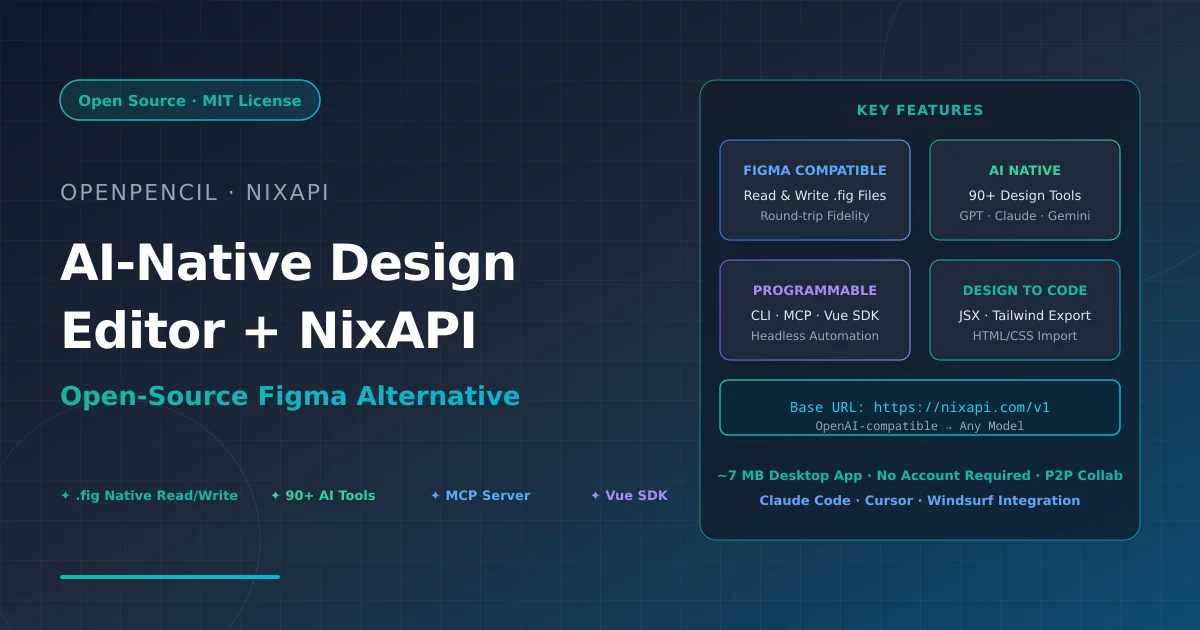
OpenPencil is an open-source, AI-native design editor that natively reads and writes .fig files — the first real open-source alternative to Figma that doesn’t lock your data into a proprietary format. It features a built-in AI assistant (90+ tools), a fully programmable CLI and Vue SDK, real-time P2P collaboration via WebRTC, and an MCP server for AI coding tool integration.
This guide covers how to configure NixAPI as your AI model provider in OpenPencil, giving you cost-effective access to GPT-5, Claude, Gemini, DeepSeek, MiniMax, and other models through a single OpenAI-compatible endpoint.
Prerequisites
Before you start:
- Install OpenPencil (desktop app or web app)
- Get a NixAPI API Key
If you don’t have a NixAPI Key yet, register at NixAPI Console and create one.
Install OpenPencil
Desktop App (Recommended)
macOS (Homebrew):
brew install openpencil
Or download from GitHub:
Visit GitHub Releases for macOS, Windows, and Linux installers. The desktop app is only ~7 MB, built on Tauri v2.
Web App (No Install):
Visit app.openpencil.dev — works directly in your browser and supports PWA installation.
CLI Tool
npm install -g @open-pencil/cli
# or
bun add -g @open-pencil/cli
The CLI allows headless operation of design files — perfect for CI/CD pipelines and automation scripts.
Configure NixAPI as AI Model Provider
OpenPencil’s AI assistant supports multiple providers: OpenRouter, Anthropic, OpenAI, Google AI, Z.ai, MiniMax, and OpenAI-compatible custom endpoints. NixAPI offers an OpenAI-compatible API, so we use the “OpenAI-compatible” option.
Step 1: Open the AI Chat Panel
In the OpenPencil desktop or web app:
- Press
⌘J(macOS) orCtrl+J(Windows/Linux) to open the AI assistant panel - Click the gear icon (settings) in the top-right of the panel
- Select “OpenAI-compatible” from the provider list
Step 2: Fill in NixAPI Connection Details
| Field | Value |
|---|---|
| Base URL | https://nixapi.com/v1 |
| API Key | Your NixAPI API Key (format: nix-xxxxxxxxxxxx) |
| API Type | Completions (default) or Responses |
Important: The Base URL must include
/v1. Omitting it will cause requests to fail.
Step 3: Select a Model
After configuration, type or select your desired model ID. NixAPI supports these popular models:
| Model | Model ID | Use Case |
|---|---|---|
| GPT-5.6 Sol | gpt-5.6 | Strongest reasoning, complex design tasks |
| GPT-5.5 | gpt-5.5 | Flagship model, general design assistance |
| Claude Opus 4.8 | claude-opus-4-8 | Code generation, design-to-code |
| Claude Sonnet 4.7 | claude-sonnet-4-7 | Balanced performance and cost |
| Gemini 3.5 Pro | gemini-3.5-pro | Long context, large file analysis |
| DeepSeek V4 | deepseek-v4 | Cost-effective, strong Chinese support |
| MiniMax M3 | MiniMax-M3 | Fast responses, everyday tasks |
Check the NixAPI model list for the latest available models and pricing.
Step 4: Test the Connection
Enter a simple prompt to test:
Create a login page with an email input, password input, and a login button.
If OpenPencil generates design elements successfully, your NixAPI configuration is working.
MCP Server Setup (Claude Code / Cursor Integration)
OpenPencil provides an MCP Server that lets AI coding tools directly inspect, modify, and export design files. You can pair this with NixAPI-powered models in your coding tools.
Install the MCP Server
npm install -g @open-pencil/mcp
Stdio Mode (Claude Code / Cursor / Windsurf)
claude mcp add --scope user open-pencil -- openpencil-mcp
Or in your config file:
{
  "mcpServers": {
    "open-pencil": {
      "command": "openpencil-mcp"
    }
  }
}
HTTP Mode (Scripts / CI)
openpencil-mcp-http # Starts HTTP server at http://localhost:3100/mcp
File Access Control
Set the environment variable to scope file operations:
export OPENPENCIL_MCP_ROOT=/path/to/your/design/files
CLI Usage
The OpenPencil CLI offers powerful headless operations:
File Inspection & Export
# View document tree structure
openpencil tree design.fig

# Search for nodes by type
openpencil find design.pen --type TEXT

# Use XPath queries
openpencil query design.fig "//FRAME[@width < 300]"

# Export to PNG
openpencil export design.fig

# Export as Tailwind JSX
openpencil export design.fig -f jsx --style tailwind

# Import HTML/CSS as editable design layers
openpencil import page.html --css styles.css -o page.fig
Design Analysis
# Color palette analysis
openpencil analyze colors design.fig

# Typography audit
openpencil analyze typography design.fig

# Spacing consistency check
openpencil analyze spacing design.fig

# Lint design rules
openpencil lint design.fig
Live Canvas Operations (with Desktop App)
When the desktop app is running, the CLI connects via RPC:
# Inspect the live document
openpencil tree

# Screenshot current canvas
openpencil export -f png

# Execute Figma Plugin API scripts
openpencil eval -c "figma.currentPage.selection.forEach(n => n.opacity = 0.5)" -w
All commands support --json for machine-readable output.
AI Assistant Features (Powered by NixAPI)
With NixAPI configured, OpenPencil’s AI assistant can execute 90+ tools:
Creation & Modification
- Create frames, shapes, text, components
- Set fills, strokes, effects, corner radius, blend modes
- Manage auto-layout and CSS Grid
- Handle components and variants
Query & Inspection
- Find nodes with XPath selectors
- Get JSX representation and structural diffs
- Detect design issues and accessibility problems
- Analyze colors, typography, and spacing consistency
Export & Conversion
- Export to PNG, SVG, JSX (Tailwind)
- Design-to-code workflows
- Import HTML/CSS as editable layers
Visual Verification
After modifying designs, the AI captures screenshots via export_image and verifies the result against the original request — catching layout issues, missing elements, and color mismatches automatically.
OpenPencil Architecture Overview
| Layer | Technology |
|---|---|
| Rendering | Skia (CanvasKit WASM) |
| Layout | Yoga WASM (flex + grid) |
| UI | Vue 3, Reka UI, Tailwind CSS 4 |
| File Format | Kiwi binary + Zstd + ZIP |
| Collaboration | Trystero (WebRTC P2P) + Yjs (CRDT) |
| Desktop | Tauri v2 |
| AI/MCP | Multi-provider, MCP SDK, Hono |
- License: MIT — read and modify everything
- 7 MB desktop app (macOS, Windows, Linux)
- No account, no server, no internet required for basic editing
- Real-time P2P collaboration — share a link, no backend
FAQ
1. AI assistant not responding after NixAPI setup
- Check that Base URL is
https://nixapi.com/v1 - Verify the API Key is complete with no leading/trailing spaces
- Check your NixAPI balance in the console
2. Can’t find a model in the dropdown
Enter the model ID manually — OpenPencil’s OpenAI-compatible mode supports custom input. Just type the NixAPI model ID directly.
3. How to manage API costs?
- Use cost-effective models (
deepseek-v4,MiniMax-M3) for daily tasks - Switch to premium models (
gpt-5.6,claude-opus-4-8) only for complex work - Check NixAPI pricing page for current rates
4. MCP Server connection fails
- Ensure
@open-pencil/mcpis globally installed - Check MCP configuration in your coding tool
- Verify the OpenPencil desktop app is running (required for RPC mode)
5. Figma file compatibility
OpenPencil uses Kiwi binary codec for native .fig file read/write with round-trip fidelity. Some advanced Figma features may have compatibility gaps — see the OpenPencil roadmap.
NixAPI Links
Next Steps
- Try creating a full design page with natural language prompts
- Use the MCP Server to let Claude Code or Cursor modify design files directly
- Export designs as Tailwind JSX to accelerate design-to-code conversion
- Explore the Vue SDK to embed OpenPencil into your own product
About OpenPencil: OpenPencil is an MIT-licensed, open-source, AI-native design editor. It opens .fig files natively, features a built-in AI assistant, P2P real-time collaboration, and is fully programmable via CLI, SDK, and MCP. Repository: github.com/open-pencil/open-pencil
About NixAPI: NixAPI provides a unified, OpenAI-compatible API for accessing GPT, Claude, Gemini, DeepSeek, MiniMax, and other major LLMs at competitive prices. One API key, one base URL, dozens of models.
Try NixAPI Now
Reliable LLM API relay for OpenAI, Claude, Gemini, DeepSeek, Qwen, and Grok with ¥1 = $1 top-up
Sign Up Free